
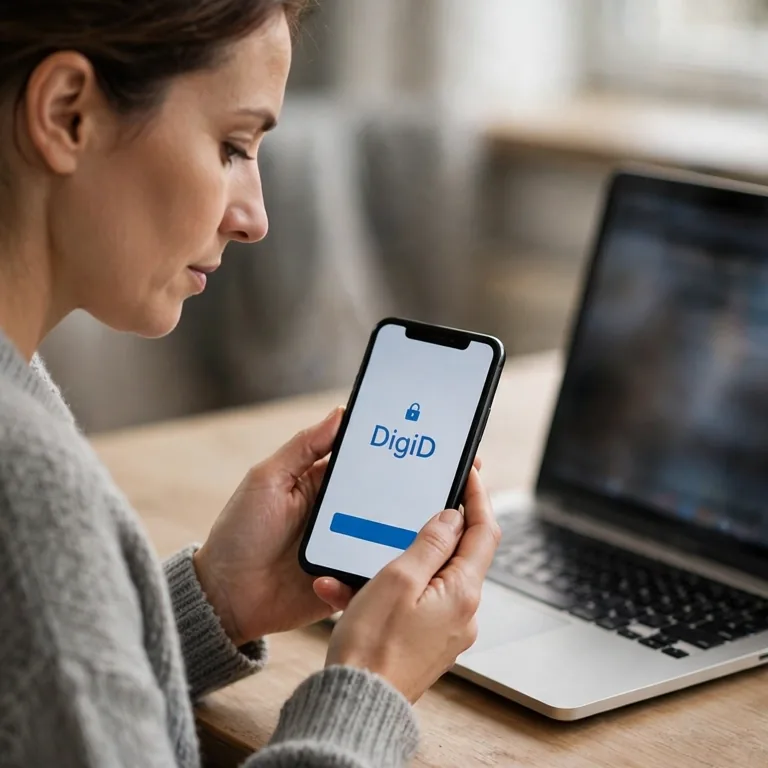
Request DigiD, then activate your account
For the Dutch-address route, use apply for DigiD for free together with your burgerservicenummer (BSN, citizen service number), your registered address and your phone number. DigiD is run by Logius (the government digital-services agency). The activation letter can take up to 5 working days to arrive. Within 21 days, enter the A-code (activation code) from that letter. After that, use DigiD app or SMS (text-message) verification.
This guide is meant for newcomers who are getting DigiD or who need to manage an account they already have. If you live abroad, follow the separate application route described below.
Pick the route that fits your situation
Which application route you use depends on your registration. If you are a resident, the route uses the Basisregistratie Personen (BRP, Personal Records Database). If you are abroad, it uses the Registratie Niet-Ingezetenen (RNI, Non-residents Records Database).
Wide tables can be scrolled sideways.
| Situation | Route | Requirements |
|---|---|---|
| Registered with a Dutch gemeente (municipality) | Online application and letter | BSN, BRP home address or briefadres (correspondence address), and a phone |
| Living abroad; using the standard form | Abroad application and code collection | BSN, valid passport or identity card, email and a phone receiving SMS from the Netherlands |
| Living abroad; eligible for the postal route | Apply through SVB (Sociale Verzekeringsbank, Social Insurance Bank); DigiD sends the activation letter | BSN, mobile phone and email. Post is delivered in your country. You receive AOW (Dutch state pension) or have an SVB letter confirming your first payment. |
| Have DigiD and move abroad | Keep your account | An active DigiD continues to work after the move |
| Child of any age | Apply for the child’s own DigiD | A parent or guardian may help under 14; from 14, children must apply for and use DigiD themselves |
Apply for DigiD and activate it
For the Dutch-address route, do these steps in the order shown. If there is any BRP error, ask your gemeente to correct it before you apply.
- Check the name and address on your registration. The letter is sent to your BRP address. A post office box or an empty address is not accepted.
- Use a browser to open the official application.
- Fill in the application using the username and password you have chosen.
- Keep your username and password in a secure place. To activate DigiD, you need both.
- Wait for the activation letter. It can take up to 5 working days, and its code begins with A.
- Within 21 days, enter the A-code on the DigiD website or in the app. If you use the app route, it activates both your account and the app.
- In Mijn DigiD, add your email address and phone number. You reach these account settings from DigiD website.
- Activate the app or SMS verification before you have to log in for something urgent.
Warning
Complete activation before the code runs out.
The A-code is valid for 21 days. If the letter is missing or lost, you can get one replacement code. If you lose the replacement, or if it also does not arrive, apply again. If letters still do not arrive, contact DigiD helpdesk. After a recent move, the letter may have been sent to your old BRP address.
For example, you apply after moving into a new home, but your BRP record still shows the previous address. The letter is sent there. Before you request another letter, ask your gemeente to correct the address.
Understand which account or app fits your task
DigiD confirms your identity when you log in to an organisation's service. MijnOverheid (My Government) and its Berichtenbox (government message box) are separate services. The table shows which tool is used for each task.
Wide tables can be scrolled sideways.
| Name | Purpose | Limit |
|---|---|---|
| DigiD | Proves your identity for organisations offering DigiD login | Ask the organisation if its service can be handled online |
| Mijn DigiD | Manages contact details, login methods, devices and usage history | Open it from the DigiD website |
| DigiD app | Logs you in with a PIN (personal code), or optional fingerprint or face recognition | An ID-check (identity-document check) is a separate step |
| MijnOverheid | Shows selected government data and contains the Berichtenbox | Available from age 14; requires separate first-time activation |
| Berichtenbox | Receives digital letters from participating organisations | You cannot reply; some letters still arrive on paper |
To activate MijnOverheid, take these steps:
- Log in using the DigiD app, SMS verification, or an approved European login method.
- Add your email address.
- Select the organisations that are allowed to send you digital mail.
Email alerts let you know when new mail arrives. Open and read the actual letter in the Berichtenbox, and continue to check paper mail as well.
Choose a login method
Each organisation decides which login methods it accepts. Before you choose from the methods listed below, check its login screen.
Wide tables can be scrolled sideways.
| Method | How it works | Limit |
|---|---|---|
| Username and password | The details you chose when applying | Works only where the organisation accepts this method |
| SMS verification | Username, password and a six-digit text or spoken code | Supports mobile, foreign and landline numbers; enable spoken codes for a landline |
| DigiD app | PIN, or optional fingerprint or face recognition | Up to 5 active devices; computers use a PIN |
| App with ID-check | Reads an accepted Dutch identity document using NFC (contactless chip technology) | Required by some organisations for sensitive data |
You can activate the app without an ID-check if another activation method is available. The check accepts a Dutch passport, identity card, or driving licence. A passport or identity card must contain your BSN. Foreign identity documents and Dutch residence documents are not accepted.
If your phone does not have NFC, another person can help you with Check-ID (identity-check app). You still need an accepted Dutch document. For sensitive data, some organisations require an annual ID-check. If you cannot add it, ask that organisation for another way to use its service.
The DigiD app can also be used on a supported computer or laptop. The ID-check can only be added through the app on a phone or tablet.
Log in with DigiD
Begin on the website of the organisation whose service you need. The steps below require an activated DigiD app or SMS verification.
- In your browser, open the organisation's website.
- Select 'Log in with DigiD'.
- Choose the app, or choose username and password with SMS verification.
- Follow the prompts for the method you selected.
If the app is installed on the same device you are using for the website, continue with these steps:
- If you are asked, choose 'On this device'.
- When the app opens, enter your PIN, or use the fingerprint or face recognition you enabled.
- Follow the remaining prompts.
If the app does not open, try the organisation's website in a different browser.
If the website is open on a device that is different from your app, continue with these steps:
- Open the DigiD app on your phone.
- Enter its PIN, or use the fingerprint or face recognition you enabled.
- In the app, request the verification code.
- Enter that code on the organisation's website.
- On the website, choose 'Next'.
- If a QR code (scannable square) is shown, scan it.
- Follow the remaining prompts.
If you selected SMS verification, continue with these steps. When spoken codes are enabled, DigiD reads your code to you during a phone call.
- Enter your username and password.
- Choose “Log in”.
- Enter the six-digit code that was sent to your phone.
- Choose “Next”.
Handle a new phone or regain access
While you change a phone or contact details, keep login methods that still work available. Before you remove your old device, use the matching row.
Wide tables can be scrolled sideways.
| Situation | First action | If that fails |
|---|---|---|
| New phone; old app works | Use the active app to activate the new one | The app may offer SMS, ID-check or a letter; abroad, use SMS or ID-check |
| Phone lost or stolen | Deactivate its app in Mijn DigiD; install it on your new phone | Contact the DigiD helpdesk if you cannot log in |
| App PIN forgotten | Reactivate the app and choose a new PIN | Use another active login method if offered |
| Phone number changed | Change it using the old number or an active app | Try activating the app with ID-check; abroad, reapply if you cannot change the number |
| 5 devices already active | Deactivate an old device in Mijn DigiD | Then activate the new device |
| Contact details changed | Update your email and phone in Mijn DigiD | Keep both current for password recovery |
After activation, DigiD lists three ways to recover a password: an active app, registered email plus SMS, or a recovery letter. Email-plus-SMS recovery requires access to both your registered email address and your phone number. If you live abroad, NederlandWereldwijd (NetherlandsWorldwide) provides steps for app recovery or email-plus-SMS recovery. If neither that method nor an app you can still log in to works, apply again. Before activation, a forgotten password means you must apply again.
With an active app, you can log in to Mijn DigiD and look up your username. If you do not have that, request your username using your BSN and password. Your email address and phone number both need to be registered, and you must be able to receive codes through both. If you have lost both login details, you need an app you can still log in to. If you cannot use an active app, apply again. A username can be changed only by applying for a new DigiD.
Apply from outside the Netherlands using your BSN
The abroad route also covers Bonaire, Sint Eustatius and Saba. For the standard application-form route, you need all of the following: RNI registration, a BSN, a valid passport or identity card, email, and a phone that can receive SMS from the Netherlands. A driving licence is not accepted for this route.
For the application-form route, follow these steps. First check appointment availability: some desks have waits that are longer than the 30-day validity of the collection code.
- Book a video-call appointment or, if it is required, a desk appointment.
- Complete the DigiD abroad application.
- Keep the nine-character B-code (collection code) that is sent by SMS and email. It is valid for 30 days.
- Collect your activation code at the appointment. For a video call, you must be outside the European Netherlands; a desk visit can take place abroad or in the Netherlands.
- Use the A-code you receive to activate your DigiD within 21 days.
Before you book, look at the NederlandWereldwijd code-collection options. At most counters, an appointment is required. Bring your original passport or identity card, your BSN, your B-code, and the phone you used for your application. For a video call, also keep your username and password at hand. The nine-character A-code is sent by SMS while the call takes place.
For the SVB route, you need your BSN, a mobile phone, and an email address. When mail delivery exists in your country, you can apply through SVB once you receive AOW or once you have an SVB letter confirming your first payment. DigiD mails the activation letter to your address abroad. The code is valid for 45 days. Neither a desk visit nor a video call is needed. If your country does not have postal delivery, follow the standard DigiD abroad application route described above.
There is no charge to apply for DigiD. Certain embassies might charge a fee to check your passport; before booking, review the instructions from the desk you chose.
Keep your DigiD if you move to another country
An active DigiD still works after you depart the Netherlands. Before you no longer can use your Dutch phone number, update your contact information and activate your login methods.
Give someone authorisation while keeping your login private
Do not share your username, password, app PIN, or SMS code. With DigiD Machtigen (DigiD Authorisation), you can let a person or a company handle one specific task for a set period. You are able to view the authorisation or stop it.
When you are abroad, you can request or approve an authorisation online using DigiD or an approved European login. You may request an authorisation code online and give it to the person helping you together with your BSN. Authorisation letters are not sent outside the Netherlands or to the Caribbean Netherlands.
What to do if your phone is lost or you get a fake message
Take action immediately if another person might know your login details, or if the phone that has the app has been stolen.
Phishing—fake messages designed to steal your information—may appear to come from DigiD. DigiD’s fake-message guidance states that its emails, text messages, and letters never include links or QR codes. If a message or login page seems unfamiliar, use the checks listed below.
Wide tables can be scrolled from side to side.
| Signal | Meaning | Action |
|---|---|---|
| A message claiming to be from DigiD contains a link or QR code | Fake DigiD message | Leave the link unopened; forward the message or image to [email protected], then delete it |
| Someone asks for login details or your app PIN | DigiD staff never ask for them | End the contact and open the DigiD website yourself |
| Unfamiliar login or account change | Someone may have access | Change your password and check usage history in Mijn DigiD |
| Phone with an active app is lost or stolen | The app is still active | Deactivate it in Mijn DigiD; contact the helpdesk if you cannot log in |
Regain access after entering details on a fake page
Take these steps if you have typed your DigiD information into a fake page:
- Change your DigiD password immediately. If you cannot log in, contact the DigiD helpdesk.
- Look at the usage history in Mijn DigiD.
- Get in touch with the helpdesk and with every organisation that appears in a login you do not recognise.
- Reach out to Fraudehelpdesk (fraud helpdesk).
When you have entered bank information, speak with your bank as well. Tell the police about fraud that actually happened. In cases of identity fraud, report it also to Centraal Meldpunt Identiteitsfraude (CMI, Central Identity Fraud Reporting Centre).
Resolve frequent DigiD issues
This table is for cases where an activation letter did not arrive, or a code has expired or been refused.
Wide tables can be scrolled from side to side.
| Problem | Check | Action |
|---|---|---|
| No letter after 5 working days | BRP address and any recent move | Correct the address if needed; request one replacement letter |
| A-code expired | 21 days normally; 45 days after an SVB application | Apply again |
| A-code rejected | Exact characters and the latest letter | Check the code; after 3 incorrect attempts, apply again |
Turn to this table if the issue involves registration, an ID-check, login details you have forgotten, or a portal that does not work.
Wide tables can be scrolled from side to side.
| Problem | Check | Action |
|---|---|---|
| No registered Dutch address | A briefadres may work; a post office box does not | Ask your gemeente about a briefadres, or use the abroad route if eligible |
| No NFC or accepted Dutch document | Whether the service requires an ID-check | Check-ID helps with missing NFC; without an accepted document, ask the organisation for another route |
| Username or password forgotten | Available recovery methods | Reapply if the password is lost before activation, or if both details are lost and you cannot log in with an active app |
| DigiD works; one portal fails | Try logging in to Mijn DigiD | If that works, contact the portal’s organisation; ask your gemeente to correct BRP errors |
If a DigiD issue prevents you from using Mijn Inburgering (My Civic Integration), consult DigiD login problems in Mijn Inburgering.
Prepare account recovery ahead of an urgent task
Make sure your email address and phone number are up to date. Turn on app verification or SMS verification. Keep the DigiD helpdesk’s contact information saved. To get digital letters from the government, activate MijnOverheid separately.
Go on to the guide for whatever task you need to do next:
- Health insurance in the Netherlands — take care of your health insurance.
- Open a Dutch bank account — set up your bank account.
Official Sources
- DigiD: Apply for DigiD - Requirements, registered-address rules and delivery time.
- DigiD: Activate DigiD - Activation methods, the 21-day deadline and replacement code.
- DigiD: What DigiD is - Scope of DigiD and organisations that use it.
- DigiD: DigiD app - App activation, devices, PIN, biometrics and ID check.
- DigiD: SMS verification - Text and spoken codes and two-step login.
- DigiD: Username and password - Credential recovery and when a new application is needed.
- DigiD: Privacy and Mijn DigiD - Account data, usage history and device management in Mijn DigiD.
- DigiD: Authorisation - Specific, time-limited authorisation and the abroad route.
- DigiD: Apply from abroad - RNI, identity-document, phone and email requirements.
- NetherlandsWorldwide: Collect the activation code - Video-call and desk collection options, including the restriction while physically in the Netherlands.
- MijnOverheid: About MijnOverheid - Separate activation, login requirements and government data.
- MijnOverheid: Berichtenbox - Receive-only mailbox, participating organisations and alerts.
- DigiD: Recognise fake messages - How official messages differ from phishing.
- DigiD: Fraud or misuse - Steps after stolen credentials, fraud or a stolen phone.
- DigiD: DigiD aanvragen (Apply for DigiD) - Dutch source for application requirements, registered addresses, 5 working days and children.
- DigiD: DigiD activeren (Activate DigiD) - Dutch source for the 21-day deadline, one replacement for a missing letter, three incorrect attempts and recovery exceptions.
- DigiD: DigiD app (Dutch) - Dutch source for app activation, five devices, biometrics, ID-check documents, annual checks and Check-ID.
- DigiD: Sms-controle (SMS verification) - Dutch source for six-digit text or spoken codes, supported phone numbers and changing a number.
- DigiD: Gebruikersnaam en wachtwoord (Username and password) - Dutch source for credential recovery and contacting the organisation when one portal fails.
- DigiD: Applying from abroad (Dutch) - Dutch source for the 30-day collection code, appointment timing, SVB eligibility and continued use after moving.
- DigiD: Machtigen (Authorisation) - Dutch source for specific tasks, fixed periods, revocation and the online-only authorisation route abroad.
- DigiD: Herken een vals bericht (Recognise a fake message) - Dutch source for links and QR codes in fake messages and the phishing-report email address.
- DigiD: Fraude of misbruik (Fraud or misuse) - Dutch source for acting now after suspected compromise, password changes, usage-history checks, stolen phones, bank contact and police plus CMI reporting.
- DigiD: Secure login tips - Keeping credentials and PIN private and checking the web address before login.
- WorkinNL: DigiD - DigiD applications are free; some embassy passport checks abroad may cost money.
- NetherlandsWorldwide: Video-call activation - Nine-character B-code, 30-day validity, appointment documents and the A-code sent by SMS during a video call.
- NetherlandsWorldwide: Activate DigiD from abroad - Normal activation codes last 21 days; codes after an SVB application last 45 days.
- NetherlandsWorldwide: Log in with the DigiD app - App-login steps on the same device or another device.
- NederlandWereldwijd: Change your phone number - Changing a number from abroad with an active app or old number; reapplying if this fails.
- Rijksoverheid (Dutch government): Centraal Meldpunt Identiteitsfraude - CMI reports, support and advice for victims of identity fraud.
- NederlandWereldwijd: Recover DigiD access abroad - App or email-plus-SMS recovery abroad, their contact-access conditions and reapplication when recovery fails.
- SVB: Apply for DigiD abroad with AOW - SVB application requirements, the postal-delivery exclusion, DigiD’s activation letter and the 45-day activation deadline.
- SVB: DigiD aanvragen buiten Nederland met AOW - Dutch source for BSN, mobile-phone and email requirements, AOW or first-payment-letter eligibility and exclusion where post is not delivered.
- SVB: DigiD aanvragen buiten Nederland zonder post (Apply for DigiD abroad without post) - The standard DigiD abroad application and video-call route when the SVB postal route is unavailable.
- DigiD: Contact the helpdesk - Official helpdesk contact routes and support for people abroad.
- Logius: Government digital services - Logius is part of the Dutch government and provides digital services including DigiD.
- Fraudehelpdesk: Fraud reports and advice - Reports of scams and suspicious activity, advice for victims and referrals to responsible authorities.